Ozow
Setting up CheckoutJoy to accept payments using your Ozow account
Ozow
This guide will walk through setting up your Ozow account in CheckoutJoy.
Ozow is a South African payment provider. CheckoutJoy uses Ozow One API with the redirect checkout: the buyer fills in your CheckoutJoy checkout, is sent to Ozow's secure hosted payment page to pay, and is returned to your thank-you page once the payment is confirmed.
Pay by Bank is available on every Ozow account. Additional methods Ozow has enabled on your account, such as Capitec Pay, cards, or PayShap, appear on the same Ozow page automatically.
Supported Payment Options
- One-time payments
- Multiple payments
- Subscriptions
Ozow settles in South African Rand only and this integration is once-off payments only. If you sell subscriptions, add a second processor alongside Ozow for those products.
Adding your account details
In the CheckoutJoy dashboard
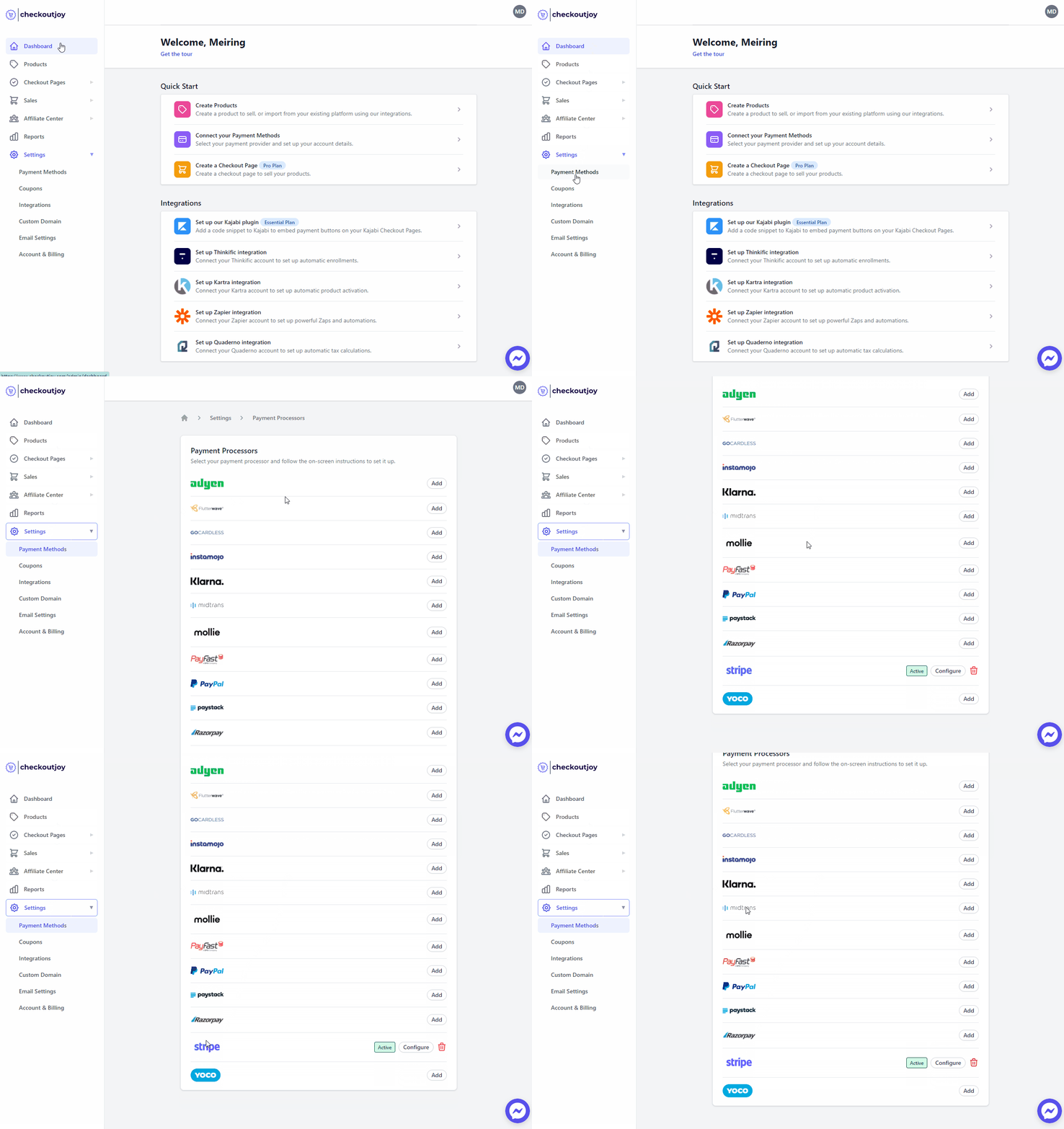
- Navigate to Settings > Payment Methods
- Select your payment processor and click on Add
Finding your API credentials
You need five values from the Ozow Dashboard:
- Site code - in the Site section of the dashboard.
- Payments Client ID and Payments Client Secret - the One API client with the
paymentsandwebhooksscopes. - Refunds Client ID and Refunds Client Secret - the One API client with the
refundsandwebhooksscopes.
Both clients are in the One API Clients section (direct link). Only dashboard users with administrator privileges can see this section; if it is missing or errors, ask Ozow support to enable One API clients on your account.
Paste the values into the form. If your credentials are correct, CheckoutJoy registers webhook subscriptions on your Ozow account to securely confirm payments and refunds.
Tick Use Ozow staging only if Ozow has issued you staging credentials; production credentials do not work against staging and staging credentials do not work against production.
Setting up Ozow as a payment method on CheckoutJoy
To add Ozow as a payment method on CheckoutJoy, visit your CheckoutJoy account and
select Payment Methods from the main menu.
Under AVAILABLE PAYMENT PROCESSORS - select Ozow.
Refunds
Refunds are issued from the CheckoutJoy Purchases screen, full or partial. They go through your refunds client, and your Ozow float must be funded — a refund against an unfunded float is accepted by Ozow and fails afterwards.
Ozow confirms the refund with a refund.complete webhook. A refund that fails at Ozow (unfunded float, a
returned payment) is reported to CheckoutJoy monitoring. Because the payment was already marked refunded when
it was requested, CheckoutJoy support has to reset the payment before it can be re-issued from the Purchases
screen — contact support if a refund shows as refunded on your side but the money never left your Ozow
account.
Order status — pending vs completed
CheckoutJoy marks an Ozow order as completed when it receives the transaction.complete webhook from Ozow with
a successful status. Returning to the thank-you page is not what completes the order; the webhook is.
If an order is stuck in Pending, first walk through the self-service webhook diagnostic in Troubleshooting.
Frequently asked questions
Which currencies does Ozow support?
Ozow settles in South African Rand (ZAR) only. If your product is priced in another currency, CheckoutJoy converts the total to ZAR before creating the Ozow payment, and the buyer sees the ZAR amount on the Ozow payment page.
My orders aren't activating after payment — what do I check?
Almost always the webhook. In the Ozow Dashboard, confirm your payments client has a webhook
subscription for transaction.complete and your refunds client one for refund.complete, both pointing at
https://api.checkoutjoy.com/v1/notify?p=Ozow&company=<your company id> with the message type full.
Re-saving your Ozow details in CheckoutJoy re-checks and repairs both subscriptions.
I activated Ozow but it doesn't appear on my embedded widget
Processors must be enabled at both the account level and the widget level. Activating Ozow in Settings → Payment Methods isn't enough — open the specific widget's settings and confirm Ozow is enabled in its payment-method list.